Skip to content
bad44 App / Sports
LIVE LOBBY

bad44 — Slots, Live Tables and Cricket Sportsbook for Bangladesh

Live casino tables, slot rooms from CQ9 and Pragmatic Play, and a cricket sportsbook sit side by side in the bad44 lobby — one account, one wallet, accessible the moment you log in from any phone or browser. Access depends on local law and eligible regions in Bangladesh.

bKash Nagad Rocket
Browse games
CONTENT / 01

What Sits Inside the bad44 Lobby

The lobby is divided into four clear sections: slots, live casino, crash games and sports. Each section loads as a horizontal rail on mobile so you can swipe through categories without scrolling past content you did not ask for. The sports section is further divided by league and match type, so narrowing from a broad sport down to a specific fixture takes two taps rather than repeated scrolling. If a rail appears empty, refreshing the browser tab re-syncs the lobby content without affecting your account session or wallet state.

DISCOVER / 01

Choose your game

Full lobby
GAME NETWORK
CQ9
Bigtime Gaming
Spadegaming
Pragmatic Play
PlayStar
CONTENT / 04

bad44 lobby studios

The bad44 lobby carries content from CQ9, Bigtime Gaming, Spadegaming, Pragmatic Play, PlayStar. To check the studio, rules or features of one specific game, open that game card or the published information panel.

  • CQ9

  • Bigtime Gaming

  • Spadegaming

  • Pragmatic Play

  • PlayStar

ACCOUNT DESK

Account information

Review current account information after signing in.

Login
LOCAL PAYMENTS

bKash, Bank Transfer and More in Your Account Wallet

Your payment options are configured in the Wallet section of your account, reachable from the top-right account icon on mobile. bad44 supports bKash and Bank Transfer as the two verified payment rails for Bangladesh accounts. To initiate a transaction, select your preferred rail, enter the amount and follow the on-screen confirmation steps before leaving the Wallet screen. Your transaction reference number is displayed immediately after submission and can be used when contacting support if a query arises.

  • bKash

    bKash is the primary mobile wallet for bad44 accounts in Bangladesh. Link your bKash number through the Wallet tab in your account settings. The deposit flow uses the standard bKash send-money steps; the wallet screen shows the account reference to send to.

  • Bank Transfer

    Bank Transfer lets you move funds directly from your Bangladesh bank account to your bad44 wallet. Account details for the transfer are shown inside the Wallet section after you select Bank Transfer as your method. Keep your transfer reference for reconciliation.

  • Nagad

    Nagad may be available as a wallet option depending on your account region. Check the Wallet tab after logging in to confirm whether Nagad appears as an active method for your account. If it is listed, the deposit steps are shown inline on the wallet screen.

  • Rocket

    Rocket is a Dutch-Bangla Bank mobile wallet that may appear in your payment options. Its availability is shown in your account's Wallet section. If Rocket is listed for your account, follow the on-screen steps to link and verify it before initiating a transfer.

Banking
BAD44
Mobile casino lobby
Popular Live Slots
Live Cricket Blast Roulette BlazeSpin bKash PayoutNow
MOBILE LOBBY

Built for phones, clear on desktop

Cards, tables, FAQ and policy pages stay easy to read on smaller screens.

  • Quick categories
  • Mobile first
  • Access
App
CONTENT / 03

How Returning Accounts Open bad44 on Any Phone

bad44 is built to load fully in a mobile browser without requiring a separate download. The lobby, account wallet and game rooms all run in the same browser session — switching between a slot room and the live casino rail does not reload your account state or log you out. If the browser cache becomes stale after a site update, clearing the cache and reloading bad44.net restores the latest lobby layout while keeping your saved account credentials intact through the login form.

  • Browser Login

    Open bad44 in any mobile browser and log in with your account email and password. The lobby loads in the same browser tab. No app download is required. Use the Add to Home Screen option in your browser to create a one-tap shortcut for faster access on your next visit.

  • Session Continuity

    Your account session carries across devices. Log in on mobile, then pick up on desktop later — wallet balance, transaction history and navigation position all reflect the same account state. Log out manually from the account menu when using a shared device to keep your session secure.

  • Home Screen Shortcut

    Save bad44 to your phone's home screen using Chrome's Add to Home Screen or Safari's Share menu. The shortcut opens directly to the lobby without going through the browser address bar. It behaves like an installed app but uses no storage beyond the shortcut icon itself.

  • bKash Deposit on Mobile

    The bKash deposit flow is designed for one-handed mobile use. Open the Wallet tab, select bKash, and follow the three on-screen steps — each screen shows only the fields you need for that step. The transaction reference appears on the confirmation screen for your records.
FEATURED IN THE LOBBY

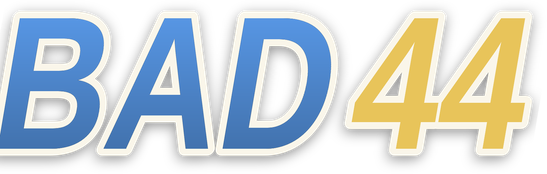
Crash Lightning and Cricket — Two Reasons to Open the Lobby

Two categories draw the most first-session attention from Bangladesh accounts: crash games and cricket betting. Crash Lightning is the crash-format title currently featured in the crash games rail — it loads fast, the round history is visible on screen, and the single decision point (when to cash out) makes it accessible without prior crash-game experience.

  • Crash Lightning

    Crash Lightning is the crash-format title in the lobby. Round history, current multiplier and the cash-out button are all on one screen. Rounds complete quickly, making it a natural fit for short mobile sessions. Find it in the Crash section of the main lobby navigation rail.

  • Cricket Sportsbook

    The sportsbook foregrounds cricket — IPL, BPL and international fixtures load under the Cricket tab, which is the first category in the sports navigation. Markets are listed per fixture; open any match to see the available betting options for that game. Account balance is shared with the casino wallet.

  • Live Cricket Blast

    Live Cricket Blast runs in the live casino section and uses a live-dealer format with cricket-themed mechanics. It occupies its own table room, separate from the main baccarat and roulette rooms. Find it by opening Live Casino from the main navigation and selecting the Cricket category filter.

  • Baccarat Highrollers

    Baccarat Highrollers is a dedicated high-stakes baccarat room in the live casino section. Table limits are displayed before you enter the room, so you can confirm the minimum and maximum before joining. It runs alongside the standard baccarat tables in the Live Casino rail of the lobby.

ACCOUNT SETUP STEPS

From the Home Screen to a Live Table in Four Steps

The account creation and first-login path on bad44 follows a linear four-step flow designed to get you into the lobby without unnecessary detours. Starting from the home screen — bad44.

  1. Step 1 — Register

    Open bad44 on your phone or browser and select Open Your Account. Enter your email address and create a password on the registration screen. All required fields are marked — fill each one and proceed. The form does not require a phone number at this stage unless your account region requests it.

  2. Step 2 — Verify Email

    A confirmation email is sent to the address you registered with. Open the email and click the verification link to activate your account. If it does not arrive within a few minutes, check your spam folder. Use the Resend Email option on the login screen if needed.

  3. Step 3 — Log In and Reach the Lobby

    Once your email is verified, log in with your email and password. The lobby home screen loads immediately after login. Your account navigation bar appears at the top of the screen, showing your balance, wallet icon and menu access. No further steps are needed to browse the lobby.

  4. Step 4 — Add a Payment Method

    Open the Wallet tab from the account icon at the top right. Select your preferred payment method from the options shown — bKash and Bank Transfer are the primary verified options for Bangladesh accounts. Follow the on-screen verification steps for the method you select before making your first deposit.

MEMBER DESK / 06

Offers, support and account controls

01

Game lobby

02

Payment guide

03

Support

TRUST / 03

How to Reach bad44 Support from Your Account

Support for bad44 accounts is accessible directly from the Help section in the main navigation menu — you do not need to leave the site or search for a contact address.

  • Live Chat

    Live chat is available from the Help section in the main menu. Open Help, then select Live Chat to start a conversation. This route is suited to immediate questions about login, account access, wallet status and game loading. Have your account email ready when the chat opens so the agent can locate your account quickly.

  • Contact Form

    The contact form in the Help section accepts messages with file attachments. Use this route for payment disputes, transaction queries or issues that need a documented reference. Fill in your account email, describe the issue clearly and attach any relevant screenshots or transaction references before submitting.

  • Help Centre FAQ

    The FAQ inside the Help section covers account setup, payment method linking, email verification, session and device questions, and game access by region. Read through the relevant FAQ entry before contacting support — many common issues, including bKash deposit steps and email re-verification, are answered there in detail.

Learn more →
ACCOUNT AND TRUST

How bad44 Handles Your Account and Access

Account security, fair access and payment accuracy are handled at the account level rather than through marketing promises. Your wallet balance reflects confirmed transactions only — no amount appears in your balance until the deposit is verified by the payment provider. The account settings panel also contains options that let you control how your session behaves and how your information is managed over time. Reviewing these settings periodically ensures that the preferences recorded against your account continue to reflect your current intentions.

  • Wallet Accuracy

    Your account wallet reflects only confirmed transactions. A deposit appears in your balance after the payment provider confirms receipt — the wallet screen shows the current status of any pending transaction. Transaction history is date-stamped and available in the Wallet tab for your own review at any time without needing to contact support.

  • Fair Game Data

    Slot and live casino outcomes are produced by the studio's own game engine. RTP information is shown on the game info screen only where the studio publishes that figure.

  • Region Eligibility

    Account access depends on your location and local law. The registration flow confirms your eligible region before you complete sign-up. If your region is not supported, the registration screen will indicate this. Access to specific game categories or payment methods may also vary by eligible region as shown in your account settings.

  • Account Data Access

    Your login history, transaction records, payment method details and account activity are all available in the Account and Wallet sections after you log in. You do not need to contact support to retrieve your own account data — it is stored in your account and accessible at any time from any logged-in device.

PLAYER INDEX / 07

Account and Lobby Terms You Should Know

Short explanations of the key terms you encounter when navigating the bad44 lobby and account screens — wallet, session, transaction reference and more. A transaction reference is the unique identifier assigned to each wallet movement; keep it accessible when contacting support. A session begins when you log in and ends when you log out or the browser tab is closed, and your lobby position is not saved between sessions.

Player guide and glossary
  • What does 'pending' mean in my transaction history?

    A pending status means the payment provider has received your deposit or withdrawal request but has not yet confirmed the transfer to or from your bad44 wallet. The status updates automatically once the provider confirms the transaction.

  • What is a transaction reference and where do I find it?

    A transaction reference is the unique identifier assigned to each deposit or withdrawal in your wallet. You find it in the Transaction History tab of the Wallet section — each transaction row shows the date, amount, method and reference number.

  • What does 'eligible region' mean on the registration screen?

    Eligible region refers to whether your location is supported for account registration and access under local law and the platform's regional configuration. The registration screen checks this automatically. If your region is supported, you continue to the next step.

  • What is the difference between the lobby and the account page?

    The lobby is the game discovery area — it shows the slot rails, live casino tables, crash games and sportsbook categories. The account page covers your personal information, wallet, transaction history and settings. You switch between them using the navigation bar at the top of the screen.

  • What does RTP mean on a game screen?

    RTP stands for Return to Player and is a percentage figure published by the game studio to indicate the theoretical long-term payout rate of that specific title. On bad44, RTP appears on a game's info screen only if the studio has published it for that game.

  • What is a home screen shortcut and does it behave differently from the website?

    A home screen shortcut is created by using the Add to Home Screen option in Chrome or Safari on your mobile browser. It places an icon on your phone's home screen that opens bad44 directly.

  • How do I know which payment methods are available for my account?

    The payment methods available for your account are shown in the Wallet tab after you log in. The Wallet screen lists only the methods confirmed for your account region — bKash and Bank Transfer are the primary verified options for Bangladesh accounts, and Nagad or Rocket may also appear depending on your region.

Full glossary
LOBBY / 02

One mobile lobby, distinct game areas

Live Cricket Blast Sports Live Cricket Blast Access → Roulette BlazeSpin Live Roulette BlazeSpin Access → bKash PayoutNow Slots bKash PayoutNow Access → Football Goalrush Sports Football Goalrush Access → Crash Lightning Slots Crash Lightning Access → Baccarat Highrollers Live Baccarat Highrollers Access →
EXPLORE FURTHER / 04

Explore detailed guides

Local lobby check

QUICK ANSWERS

Frequently asked questions

Answers to the questions most frequently asked by new accounts and returning visitors about the lobby, payments, mobile access and cricket betting on bad44.

Read FAQ →
How do I log in to bad44 from my phone?

Open bad44 in any mobile browser — Chrome on Android and Safari on iPhone both work. Enter your registered email and password on the login screen. The lobby loads immediately after a successful login.

Can I use bKash to deposit into my bad44 account?

Yes. bKash is one of the verified payment methods for bad44 accounts in Bangladesh. Open the Wallet tab from the account icon after logging in, select bKash, and follow the on-screen steps.

What cricket events can I bet on in the bad44 sportsbook?

The sportsbook covers IPL, BPL and international cricket fixtures. Cricket is listed as the first category in the sportsbook navigation, so it does not require filtering to find. Markets for each fixture are shown when you open a match. Fixture availability depends on the current schedule — the sportsbook updates as upcoming matches are confirmed.

Do I need to download an app to access bad44?

No download is required. The bad44 lobby runs fully in a mobile browser. Open bad44 in Chrome or Safari on your phone and log in — the lobby, games, wallet and account settings all load in the browser tab.

How do I contact bad44 support if I have a payment problem?

Go to the Help section in the main navigation menu. For immediate queries, use live chat. For payment disputes where you need to attach a transaction reference or screenshot, use the contact form.

Where can I find the games from Pragmatic Play and CQ9 in the lobby?

Both Pragmatic Play and CQ9 titles are accessible through the studio filter in the lobby. Open the main slots or live casino section, then select the studio name from the filter row at the top of the game shelf.

What should I do if my email verification link does not work?

First, check that you are clicking the link from the most recent verification email — if you requested more than one, only the last link is active.

Is the bad44 lobby available on desktop as well as mobile?

Yes. The lobby loads on any modern desktop browser as well as mobile. Your account, wallet balance and transaction history are the same regardless of which device you use to log in — everything is tied to your account credentials, not the device.

READY WHEN YOU ARE

bad44 game lobby

Access may be available only where local law permits.

Register Login